Self-hosted NAS vs Cloud Storage Break-Even Calculator

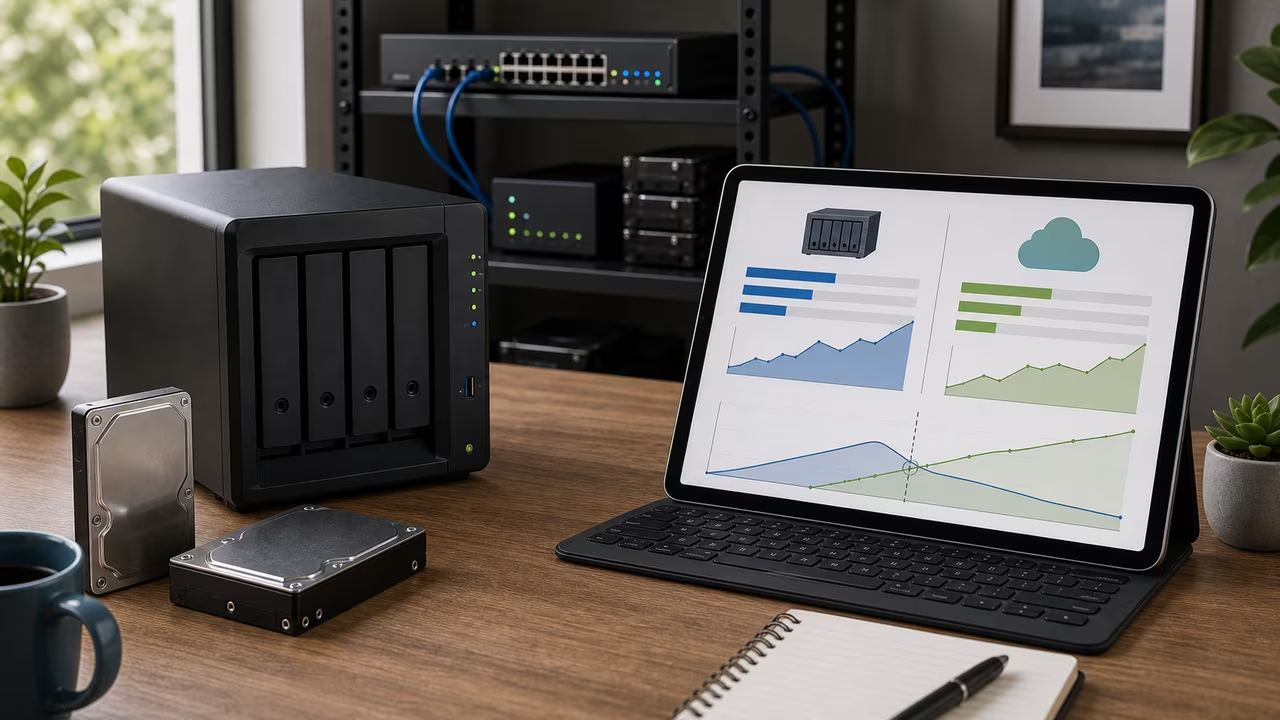
NAS vs Cloud Storage Introduction
Choosing between a self-hosted NAS and a cloud plan usually comes down to two very different cost patterns. Cloud storage asks for a recurring subscription, while a NAS shifts much of the expense into hardware you own outright. This calculator compares those paths by combining hardware price, electricity, maintenance, and cloud fees into one break-even timeline.
That comparison matters whether you are archiving photos, hosting a media library, or buying shared storage for a small team. A NAS can feel cheaper after the upfront purchase, but fans, drives, and power usage continue to add cost. Cloud storage brings convenience and built-in redundancy, yet the bill grows every month. By laying out both totals side by side, the calculator helps you decide which option fits your budget, your tolerance for maintenance, and your comfort with keeping files at home.
How to Use the NAS vs Cloud Storage Calculator
- Start on the NAS side by entering the upfront hardware cost, including the enclosure, drives, memory upgrades, and any accessories needed to get the array online.
- Enter the NAS average power draw and your electricity rate so the calculator can translate watts into a monthly energy bill.
- Add monthly maintenance and a drive replacement reserve to reflect the cost of spare parts, warranties, or recurring admin work.
- Enter the cloud storage price per terabyte and the amount of space you expect to use.
- Choose a comparison horizon so you can see cumulative costs even if the NAS takes a long time to break even.
- Review the break-even month, monthly savings, and horizon totals before deciding whether self-hosting is worth the trade-offs.
How the NAS vs Cloud Storage Break-even Formula Works
The NAS versus cloud break-even point is the month when the running total for self-hosted storage matches what you would have paid for cloud storage. Let H be the NAS hardware price, P the average power draw in watts, r your electricity rate per kilowatt-hour, M any monthly maintenance cost, D the monthly replacement reserve, C the cloud price per terabyte per month, and T the number of terabytes you need. Each month, the NAS adds power cost for power plus M for upkeep and D for replacement reserve. Cloud storage costs C T per month. Setting the cumulative totals equal and solving for the number of months t when the NAS investment breaks even yields:
Formula: t = H / (C T - (P / 1000 × 24 × 30 × r + M + D))
If the monthly cloud bill is no larger than the NAS operating cost, the denominator goes to zero or below and the hardware never catches up. In that case the calculator shows that there is no break-even point under the assumptions you entered.
Worked Example: 4 TB NAS vs Cloud Storage
Imagine comparing a 4 TB cloud bill against a self-hosted NAS. Suppose you are considering a $500 NAS that draws 20 watts continuously. Your electricity rate is $0.15 per kWh and you expect to spend about $2 per month on spare parts and miscellaneous upkeep. You want to store 4 TB of data, and the cloud service you would otherwise use charges $6 per TB per month. The NAS power cost works out to 20 × 24 × 30 / 1000 × 0.15 = $2.16. Adding the $2 maintenance brings the monthly NAS expense to $4.16. Cloud storage for 4 TB costs $24 per month. Plugging into the formula gives . In about 25 months the NAS becomes cheaper than continuing to pay the cloud subscription.
4 TB NAS vs Cloud Storage Cost Over Time
For the same 4 TB NAS versus cloud scenario, the table below tracks how the costs accumulate over time. The NAS total includes the $500 hardware paid up front plus ongoing electricity and maintenance. The cloud column totals the subscription payments month by month.
| Months | NAS cumulative cost ($) | Cloud cumulative cost ($) |
|---|---|---|
| 12 | 549.92 | 288 |
| 24 | 599.84 | 576 |
| 36 | 649.76 | 864 |
At one year, the NAS is still behind because the initial purchase dominates. As the months pass, the subscription keeps growing while the NAS only adds modest operating cost. Use your own numbers to see whether the crossover happens sooner or later for your setup; a higher electricity rate, a larger array, or a cheaper cloud tier can move the break-even month in either direction.
NAS Ownership Trade-offs Beyond Cost
For a NAS versus cloud storage decision, the financial result is only part of the story. Running your own NAS gives you control over drive choice, folder structure, and upgrade timing. It can also be quieter and more predictable for a home media library or a small office that wants storage always available on the local network. The trade-off is that you become the person who has to handle firmware updates, monitoring, failed disks, and physical security.
Cloud storage shifts those responsibilities to the provider and usually makes off-site access easier. You get built-in redundancy and a simpler user experience, but you also accept subscription risk, possible bandwidth limits, and less control over where the data lives. If your files must be reachable from many locations, the convenience may outweigh the hardware savings.
Another practical difference is growth. Cloud storage can expand almost instantly when you need more room, while a NAS usually grows by adding drives or replacing the enclosure with a larger one. That makes self-hosting a better fit for people who like planning capacity ahead of time and a worse fit for people who want storage to scale with a single click.
NAS vs Cloud Storage Limitations and Assumptions
This NAS versus cloud cost model keeps the comparison intentionally simple. It treats the NAS hardware purchase as a one-time cost and uses one average power draw for every month, which is useful for comparison but not a full lifecycle model. In real life, drive replacements, fan wear, RAID rebuilds, and future hardware refreshes can change the economics. You can approximate some of that uncertainty by increasing maintenance or the replacement reserve, but the calculator does not attempt to forecast each failure separately.
Cloud pricing can also shift if providers change tiers or bundle storage with other services. Electricity rates may move over time, and a NAS that spends more time transcoding video or rebuilding arrays can use more power than your idle estimate suggests. The calculator is best treated as a planning tool: it answers roughly when self-hosting costs less, not which option is perfect forever.
The model also ignores the value of collaboration tools, file-sharing extras, and remote access features that can come with a cloud plan. A NAS can be paired with backup software and off-site replication, but that usually adds cost. If those extras matter to you, use the break-even result as one input among several rather than as the entire decision.
Related Storage Tools
If you are comparing storage choices, these other calculators can help you narrow the picture from different angles. They complement this NAS versus cloud comparison by focusing on provider pricing and backup depth once you know which broad direction you prefer.
Using the NAS vs Cloud Storage Calculator
Once you have a realistic NAS bill and a cloud subscription price in mind, enter the values and calculate. The tool validates your inputs to ensure they are non‑negative and the denominator of the formula remains positive. If the NAS can pay for itself, the break-even month appears along with a comparison of cumulative costs. A copy button lets you paste the result into notes or share it with collaborators. All calculations run locally in your browser; no data is sent to servers.
NAS Migration Run
Collect drives, backups, and efficiency boosts while avoiding outages, failed disks, and surprise cloud fees.