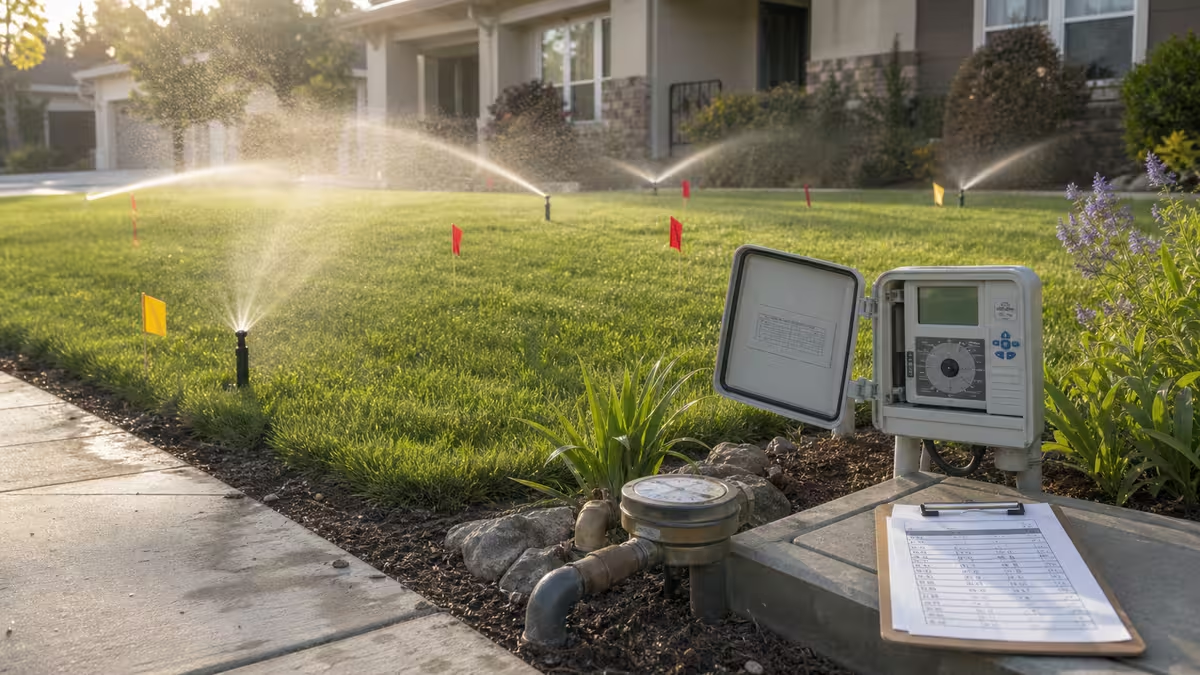
Introduction to residential lawn watering budgets
This residential lawn watering budget planner turns turf area, weekly ET, rainfall, and sprinkler efficiency into the numbers you need to schedule a real yard.
It answers three practical questions for a home irrigation system: how many gallons the lawn needs each week, what that water is likely to cost, and how long each zone should run within your allowed watering days. The planner keeps the math intentionally simple by treating the lawn as one irrigated area with one weekly ET value, one effective-rainfall value, and one overall efficiency percentage. It does not model soil texture, slope, root depth, distribution uniformity, or controller intelligence, so use it as a first-pass budget and adjust it with field observations.
How to use the residential lawn watering planner
For the best residential lawn watering estimate, choose inputs that match the turf you actually irrigate and the weather you expect during the week you are planning.
-
Total irrigated lawn area (square feet): Count only the turf you actually water. If you have a 5,000 sq ft lot but only 3,200 sq ft of irrigated grass, enter 3,200.
-
Reference evapotranspiration requirement (inches per week): Use a weekly average for the period you’re planning, often the hottest month. Many weather services publish reference ET; turf may be close to reference in many climates, but if you use a crop coefficient, apply it before entering ET.
-
Average effective rainfall (inches per week): Enter only the portion that soaks in and benefits the root zone. Heavy storms can run off; very light rain can evaporate quickly. If you’re unsure, use a conservative effective rainfall estimate.
-
Irrigation system efficiency (%): A single “how much of what I spray actually helps the lawn” factor. Older spray heads, wind, overspray, and runoff reduce efficiency. If you don’t know, 60–70% is a common starting range for many residential spray systems.
-
Water rate ($ per 1,000 gallons): Use the marginal or average rate you expect to pay during irrigation season. If your utility uses tiers, you can run multiple scenarios.
-
Average sprinkler zone flow (gallons per minute): Use a measured value if possible (meter test or zone audit). If you only have a rough estimate, the minutes-per-zone output will be approximate.
-
Number of lawn irrigation zones: Count the zones that water the area included in your square-foot estimate.
-
Allowed watering days per week: Enter the restriction you must follow (or the schedule you plan to use). The calculator uses this to convert weekly gallons into minutes per allowed day.
-
Irrigation season length (weeks): The number of weeks you expect to irrigate at roughly these conditions. You can rerun the calculator for spring/fall shoulder seasons with different ET and rainfall.
Residential lawn watering formulas and assumptions
This planner uses the standard irrigation conversion that 1 inch of water spread across 1 square foot equals 0.623 gallons, then applies the net weekly water need after subtracting effective rainfall.
In symbols (matching the calculator’s behavior):
Formula: G = A × 0.623 × (max(E − R, 0)) / η
Where A is area (sq ft), E is weekly ET (in/week), R is effective rainfall (in/week), and η is efficiency as a decimal (for example, 65% → 0.65). Weekly cost is G × price / 1000, and the runtime estimate splits those gallons across your allowed days and zones before dividing by flow.
Minutes per zone per allowed day are computed by splitting weekly gallons across allowed days and zones, then converting gallons to minutes using your zone flow rate (gallons per minute).
Worked example: 4,000 sq ft of residential turf on a 3-day schedule
Using the default residential lawn watering inputs, here’s what the planner reports for a 4,000 sq ft yard.
Example inputs (the defaults in the form): 4,000 sq ft of irrigated turf, ET = 1.2 in/week, effective rainfall = 0.4 in/week, efficiency = 65%, water rate = $5.50 per 1,000 gallons, zone flow = 12 gpm, 4 zones, 3 allowed watering days, and a 28-week season.
Net inches needed = 1.2 − 0.4 = 0.8 in/week. Converting depth to volume: 4,000 × 0.623 × 0.8 ≈ 1,994 gallons/week delivered to the lawn. Adjusting for 65% efficiency: 1,994 / 0.65 ≈ 3,068 gallons/week sprayed by the system. At $5.50 per 1,000 gallons, that’s about $16.87 per week.
With 3 allowed days and 4 zones, the weekly gallons are spread across 12 zone-days. 3,068 / 12 ≈ 256 gallons per zone per allowed day. At 12 gpm, runtime is 256 / 12 ≈ 21.3 minutes per zone per allowed day.
Use this example as a reasonableness check: if your results are far outside what you expect, the most common causes are (a) area entered too large, (b) ET entered in the wrong time basis, (c) rainfall entered as total rainfall rather than effective rainfall, or (d) an unrealistic efficiency value.
Practical tips for using residential lawn watering results
Once you have weekly gallons and zone runtime, the most useful next step is to see whether your schedule can be applied without runoff or unnecessary water use.
-
Cycle-and-soak: If the minutes-per-zone number is high, consider splitting it into two shorter cycles on the same allowed day to reduce runoff.
-
Zone differences: Sunny slopes and narrow strips often need different runtimes. This calculator provides an average; you can rerun it for a “worst zone” by using the area served by that zone.
-
Season planning: ET and rainfall change through the year. Run separate scenarios for peak summer and shoulder seasons to avoid overwatering.
-
Budgeting: Seasonal cost is a planning estimate. Your bill may differ due to tiered rates, fixed charges, or household indoor use.
Limitations of this residential lawn watering budget planner
This calculator estimates a weekly residential irrigation budget from averages, so it cannot replace a site-specific audit or local watering rules. If drought restrictions, watering bans, or utility guidance differ from the planner’s estimate, follow the local rule first and use the result only as a budgeting guide.
Why lawn watering benefits from a budget plan
Residential lawn watering can look simple—set a timer and let it run—but the costs and restrictions change quickly from one yard and one season to the next. In many neighborhoods, outdoor watering becomes the largest seasonal driver of household water use. During hot, dry weeks, turf loses water through evapotranspiration (ET). If that loss is not replaced, grass can thin, go dormant, or become more vulnerable to weeds and pests. At the same time, many utilities use higher summer rates or tiered pricing, and many municipalities impose watering-day restrictions during drought.
A budget planner helps you connect the physical requirement (inches of water over an area) to the practical levers you control (efficiency, runtime, and schedule). When you can estimate weekly gallons and cost, you can compare options: fixing coverage issues to raise efficiency, reducing irrigated area, switching nozzle types, or changing landscaping. You can also spot problems earlier—if your actual bill is far above the estimate, it may indicate leaks, broken heads, or a controller schedule that does not match your intended plan.
How to adapt the residential lawn watering plan to real yards
No two irrigated lawns behave exactly the same, so use the planner as a baseline and then tighten the schedule with what you see in the field:
- Measure output: A simple catch-can test can reveal whether a zone applies water evenly. Poor uniformity effectively lowers efficiency.
- Watch for runoff: If water runs onto sidewalks or down the driveway, shorten cycles and add soak time between cycles.
- Account for microclimates: South-facing areas may need more; shaded areas may need less. Consider separate controller programs if available.
- Revisit inputs monthly: ET and rainfall shift through the season. Updating ET/rainfall once a month can prevent chronic overwatering.
Related planning tools
If you are pairing irrigation planning with broader household sustainability projects, you may also find these pages useful: the residential rainwater harvesting planner for offsetting irrigation demand with captured rainfall, and the neighborhood compost diversion planner for reducing organic waste and improving soil health. For emergency preparedness planning, see the household emergency generator fuel planner.